


Author: Brady Gavin / Source: howtogeek.com
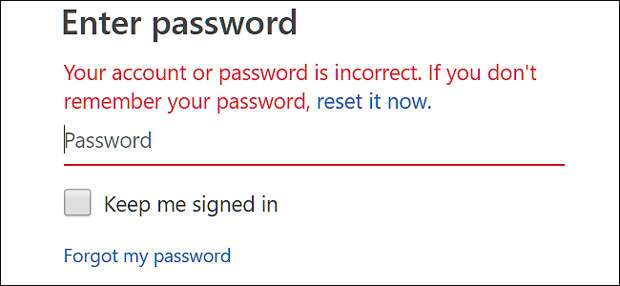
If you don’t use a password manager, those complex passwords can be hard to remember. If you’ve forgotten the password for your Microsoft account—which might be an account at outlook.com, live.com, hotmail.com, or even skype.com—you can’t really recover that same password, but it’s easy enough to recover your account by resetting your password to something new.
| Recover More Disk Space – Get the New Avast Cleanup | |
| |
| Not enough space? Get More Free Space with New Avast Cleanup. … | |
| Avast | |
| Learn more |
Recover Your Microsoft Account Password
In your web browser, head to the Microsoft Account page, and then click “Sign In” in the top right corner.
Type your Microsoft username, and then click the “Next” button.
Note that because changes over the years, you might have used any Microsoft-related email account as your Microsoft account. This includes outlook.com, live.com, hotmail.com, and skype.com. Microsoft even lets you sign up for a Microsoft account using external email addresses—like your Gmail address. But the password for your Microsoft account will be different than the password for an external account.
Underneath the password field, click the “Forgot My Password” link.
On the next screen choose the “I Forgot My Password” option, and then click the “Next” button.
You’ll be prompted to type some characters you see onscreen as a security measure. Do…
The post How To Recover Your Forgotten Microsoft Account Password appeared first on FeedBox.