


Author: Craig Lloyd / Source: howtogeek.com
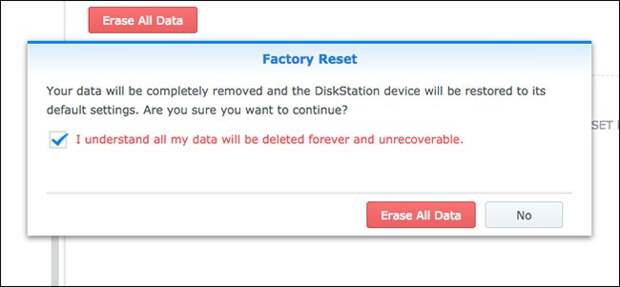
If your Synology NAS drive is giving you problems, or you’re just upgrading to a whole new system, there are a few ways you can reset it, depending on what you want to do with it.
In total, there are three ways to reset a Synology NAS: resetting just the network settings (which will also reset the admin login password), resetting and reinstalling DiskStation Manager (still keeping all your data intact), or resetting everything (including erasing all data on the hard drives).
Before we go over each method, though, it’s a good idea to install the Synology Assistant app on your computer (which you can do from this page). It lets you view the status of your NAS drive without having to access the drive itself. It’s also great to have if the IP address of your NAS drive changes when you reset it and you aren’t sure what the new IP address is.
In any case, here are the three methods of resetting your Synology NAS drive.
| Get, Deals Daily 20% Off | |
| |
| The Easiest way to Buy Online | |
| Mahhalcom | |
| Learn more |
Reset Network Settings
If your NAS drive is giving you some network issues, you can do a simple reset of just the network settings. This also resets your admin login password, and you’ll be prompted to create a new one after resetting the network settings .
Start by locating the reset button on the back of your NAS drive. It’s usually right next to the USB and Ethernet port(s).

Next, get a paper clip or a SIM card removal tool and hold down the reset button for about five seconds—until you hear a beep. Then let go immediately.
After that, fire up Synology Assistant, and then double-click your NAS drive to access it and login.

The default username is “admin” and the default password is left blank.
Click “Sign In” after entering in these credentials.
You’ll then be prompted to create a new password. Hit “Submit” when you’ve done that.

On the next screen, click the “Log in Now” button.
The post How to Factory Reset Your Synology NAS appeared first on FeedBox.