


Author: Chris Hoffman / Source: How-To Geek
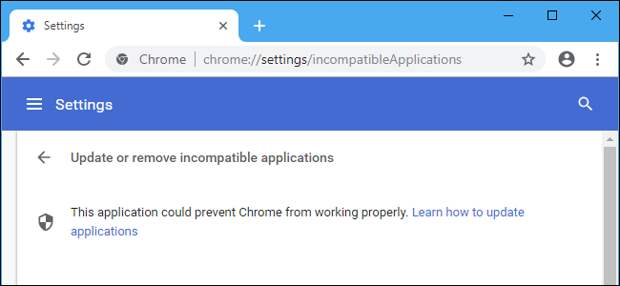
Many Windows applications, such as antivirus software, inject code into Chrome to modify its behavior. This results in more frequent browser crashes, so Google is taking a stand by blocking these techniques.
| Celebrities Then and Now | |
| |
| Photo gallery of celebrities then and … | |
| Stanton Daily | |
| View Now |
Why Are Applications Injecting Code?
Some applications inject code into other running processes to modify their behavior. On Windows, this technique has existed for a long time. It’s used by many different types of applications, from antimalware tools to dangerous malware. This is often called DLL injection on Windows, too.
In other words, applications inject code into Chrome to modify Chrome’s behavior. A security program might want to add some additional checks to Chrome’s browsing, or a piece of malware might want to better spy on your browsing.
Even if the application is using code injection with good intention, it can cause problems by interfering with Chrome’s code. Chrome’s developers don’t know exactly how this additional code is going to behave. As Chrome developer Chris H. Hamilton puts it: “This type of software injection is rampant on the Windows platform, and causes significant stability issues (crashes).”
When Will Chrome Completely Block Code Injection?
Google originally announced its plans to block this technique in November 2017, noting that Windows users with software injecting in Chrome are 15% more likely to have Chrome crash. Google notes that there are better techniques for applications that require this sort of functionality, like installing a Chrome browser extension that uses Chrome’s native messaging to communicate with another program on the system.
The original announcement said Chrome 69 would begin blocking all code injection in September 2018. However, on our system, the beta version of Chrome 69 currently only warns about code injection if your browser experiences a crash.
It does not block that injection.Chrome’s developers frequently A-B test new features…
The post Why is Chrome Telling Me to “Update or Remove Incompatible Applications?” appeared first on FeedBox.