


Author: Craig Lloyd / Source: howtogeek.com
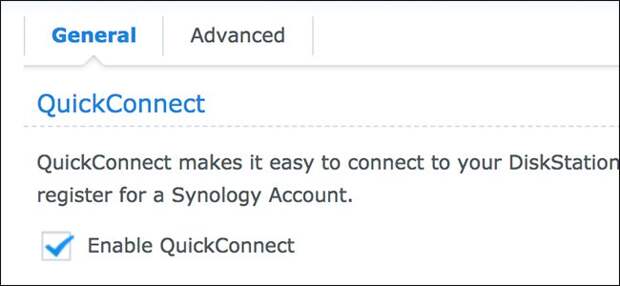
Your Synology NAS includes a QuickConnect feature that lets you access its DiskStation Manager interface remotely. Here’s how to set it up.
You were likely greeted with the QuickConnect setup page when you first installed your Synology NAS, but it’s possible that you may have skipped it.
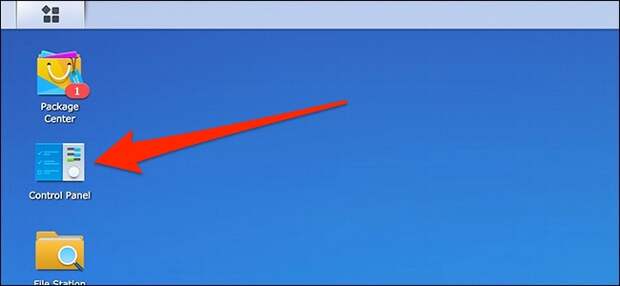
If you changed your mind, though, it’s never too late to set it up. Plus, it’s fairly easy to do.To get started, fire up DiskStation Manager, and then open up Control Panel.
RELATED: How to Download Files with Your Synology NAS (and Avoid Leaving Your Computer On at Night)
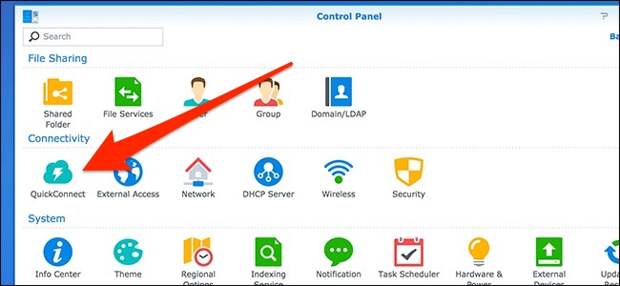
In the Control Panel window, click the “QuickConnect” setting.
Click the “Enable QuickConnect” check box to enable the feature.

Next, click the “Log in to or register a Synology account” option.
…
The post How to Remotely Access Your Synology NAS Using QuickConnect appeared first on FeedBox.