


Author: Justin Pot / Source: howtogeek.com
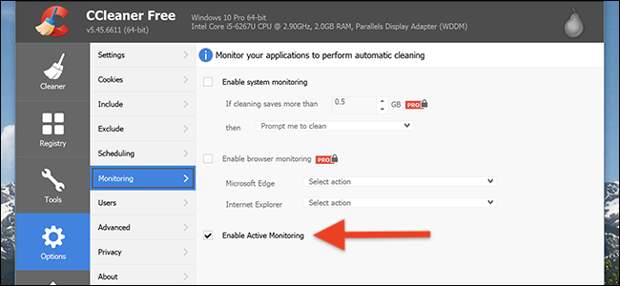
CCleaner’s latest version, 5.45, collects anonymized information about your system, then basically makes it impossible for you to turn the feature off.
Give it a shot: head to Options > Monitoring, then disable “Active Monitoring.” Restart your computer and the feature will be enabled again.
Sneaky, right? CCleaner, for their part, says all information gathered is entirely anonymous, and only used to help improve the program. They also say upcoming changes will give users…The post CCleaner’s Sketchy Data Collection Feature Automatically Re-Enables Itself appeared first on FeedBox.