


Author: Emil Protalinski / Source: VentureBeat

Before Facebook’s Cambridge Analytica trainwreck, before the investigations began, before Facebook promised to audit apps, before a WhatsApp cofounder and a Google employee and even Elon Musk chimed in, there were plenty of other Facebook “scandals.
” Calls to #deletefacebook are nothing new, although this one appears to be pretty bad. So at the start of this year, before last week’s fiasco that dominated the news this whole week, I decided to document the deleting of a Facebook account.The date was January 11, 2018. To be clear, I didn’t delete my main Facebook account — that’s not for everyone and I personally rely on Messenger too much. I simply wanted to see how easy, or difficult, deleting a Facebook account was, so I deleted a test account I had created many years ago for a separate story.
My mission was straightforward: Find out what the process is like for deleting a Facebook account in 2018. I had heard many tales over the years, including back when I wrote about Facebook exclusively, that your account is only ever deactivated — never deleted. If you want to come back and try logging in, Facebook will happily let you back in.
In 2018 at least, that’s not true.
The call to #deletefacebook usually means one of three things: Deleting the app on your phone (which you can always reinstall), changing your profile picture to show you’ve left Facebook (which allows you to keep using apps that depend on the service), or actually deleting your account and never looking back.
I was testing the last option.Deleting your Facebook account
Facebook’s settings let you deactivate your account or set it to delete after you pass away. There’s no option to actually delete your account. To do that, you’ll have to request an account deletion by navigating to facebook.com/help/delete_account.
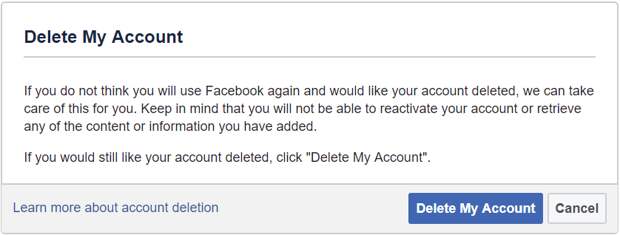
If you do not think you will use Facebook again and would like your account deleted, we can take care of this for you. Keep in mind that you will not be able to reactivate your account or retrieve any of the content or information you have added.
If you would still like your account deleted, click “Delete My Account”.
After you hit “Delete My Account,” you’ll…
The post ProBeat: Deleting Facebook, step by step appeared first on FeedBox.